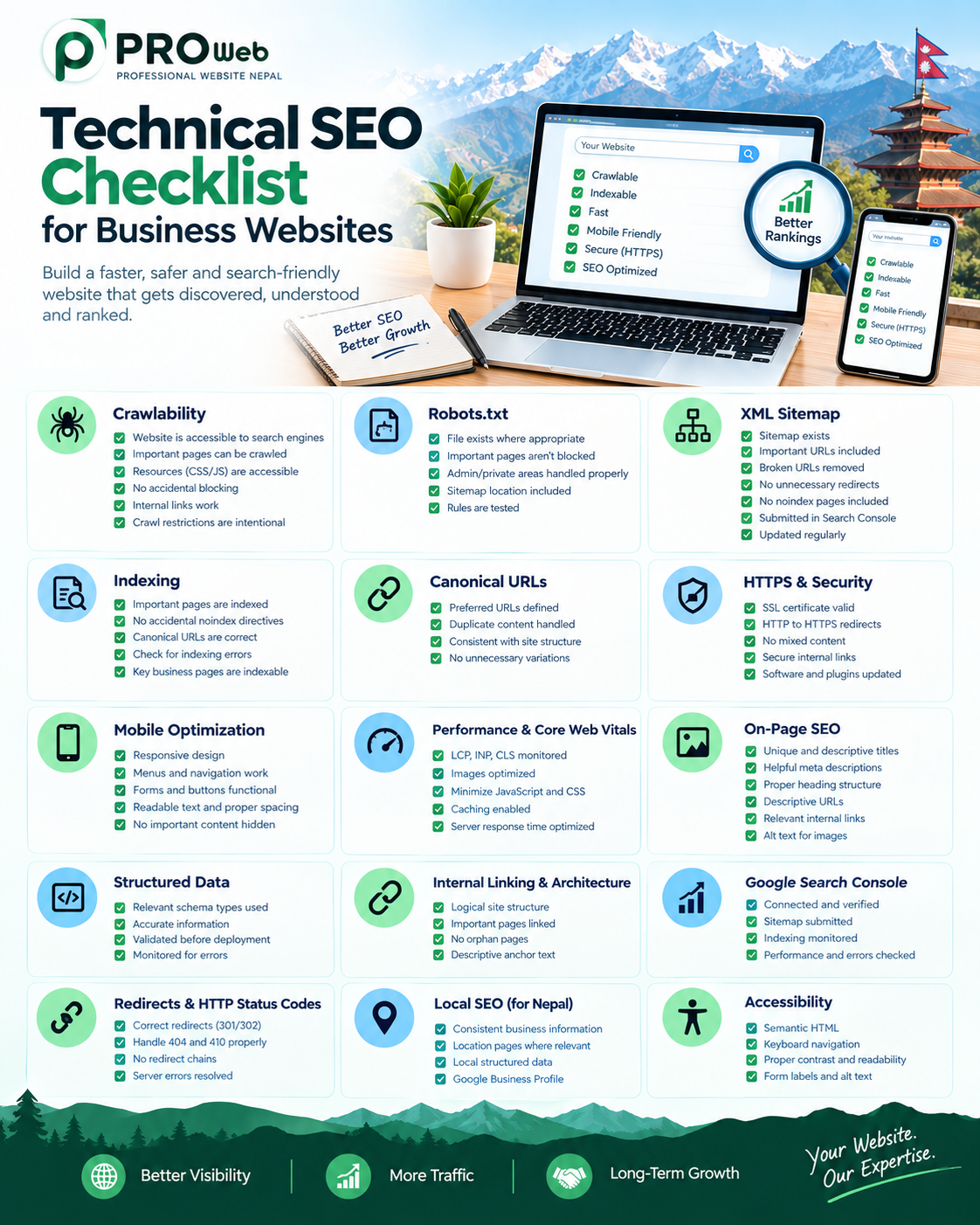
Technical SEO Checklist for Business Websites
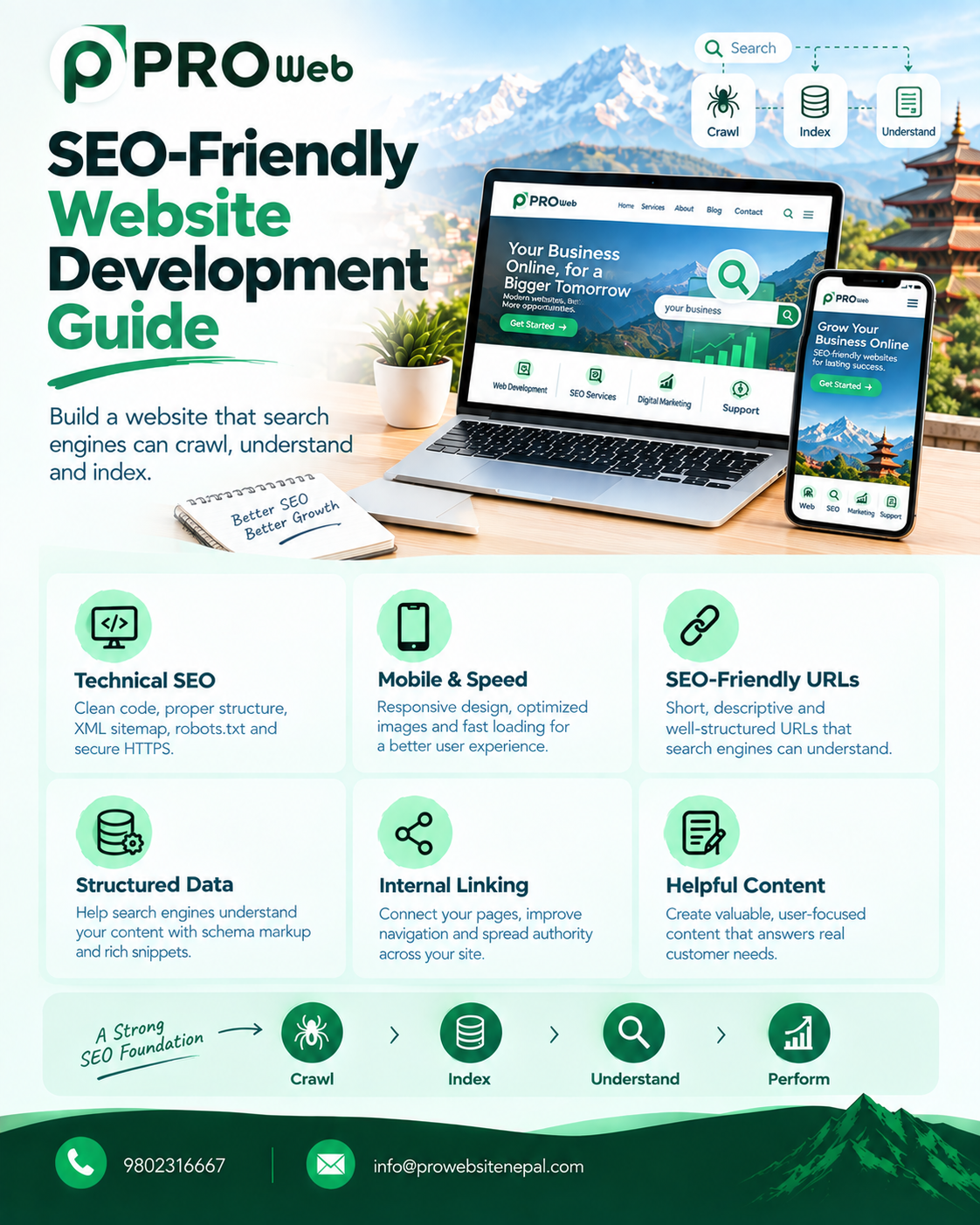
Technical SEO is the foundation that helps search engines crawl, understand, index, and evaluate a website effectively. A business website can have excellent content and an attractive design, but technical problems can still prevent important pages from being discovered, indexed, or properly understood.
For businesses in Nepal, technical SEO is particularly important when competing for searches related to services, products, industries, and specific locations. A technically well-built website provides a stronger foundation for long-term search visibility, user experience, and website performance.
Technical SEO should not be treated as something that is added after a website has already been developed. It should be considered throughout the planning, design, development, launch, and maintenance stages of a website.
What Is Technical SEO?
Technical SEO refers to the technical improvements made to a website to help search engines access, crawl, understand, and index its content.
It focuses on areas such as:
Website crawlability
Indexability
Website architecture
URL structure
Mobile responsiveness
Website speed
Core Web Vitals
HTTPS security
XML sitemaps
Robots.txt
Canonical URLs
Internal linking
Structured data
Redirects
HTTP status codes
JavaScript rendering
Image optimization
Search Console monitoring
Technical SEO works together with content and on-page SEO. It does not replace useful content, but it helps create the technical environment in which that content can be discovered and understood.
1. Check Website Crawlability
Search engines need to be able to access the important areas of a website before they can properly process its content.
A technical SEO audit should verify that important pages are accessible to search-engine crawlers and that important resources are not unnecessarily blocked.
Check whether:
Important pages can be crawled
Navigation can be followed
Internal links are accessible
Important resources can be loaded
Website sections are not accidentally blocked
Crawl restrictions are intentional
Private areas are protected appropriately
Crawlability is one of the fundamental technical requirements of search visibility. Google's crawling documentation explains how website owners can manage crawler access and crawling preferences.
2. Review the Robots.txt File
The robots.txt file provides instructions to crawlers about which areas of a website they may access.
A properly configured robots.txt file can help control crawling, but an incorrect configuration can unintentionally prevent search engines from accessing important content.
Review:
Whether the file exists where appropriate
Whether important pages are accidentally blocked
Whether important resources are accessible
Whether private areas are appropriately restricted
Whether the sitemap location is provided
Whether the rules match the intended website structure
Robots.txt should be reviewed whenever major changes are made to website architecture.
3. Create and Maintain an XML Sitemap
An XML sitemap helps search engines discover important URLs on a website.
A sitemap is particularly useful for websites with many pages, frequently changing content, large product inventories, or complex website structures.
A technical SEO audit should check that:
The XML sitemap exists
Important URLs are included
Unnecessary URLs are excluded
Broken URLs are removed
Redirected URLs are not unnecessarily included
Non-indexable pages are not unnecessarily included
The sitemap is submitted through Google Search Console
The sitemap remains updated as the website changes
A sitemap supports discovery, but it does not guarantee that every submitted URL will be indexed.
4. Check Indexability
Crawling and indexing are different processes.
A page may be accessible to a crawler but still have technical settings that prevent it from being indexed.
Important business pages should be reviewed for:
Accidental noindex directives
Incorrect canonical URLs
Crawl restrictions
Login requirements
Server errors
Duplicate content
Indexing exclusions
Rendering problems
Google Search Console can help identify indexing problems and provide information about how Google processes individual URLs.
5. Use Proper Canonical URLs
Canonicalization helps search engines understand which version of a URL should be considered the preferred version when multiple URLs contain similar or duplicate content.
Canonical URLs are particularly important for websites that use:
URL parameters
Filtering systems
Sorting systems
Ecommerce functionality
Multiple URL variations
Duplicate content
Complex navigation structures
Canonical settings should be consistent with the actual website architecture.
Incorrect canonicalization can cause important pages to be treated as secondary versions of another URL.
6. Make HTTPS a Priority
Business websites should use HTTPS to provide secure connections between visitors and the website.
Technical SEO checks should include:
Valid SSL certificates
Correct HTTPS configuration
Proper redirects from HTTP to HTTPS
Secure internal links
Secure image and asset loading
Removal of mixed-content problems
Consistent canonical URLs
Secure website delivery is also part of Google's broader page-experience guidance.
7. Optimize Mobile Responsiveness
A modern business website needs to work properly across smartphones, tablets, laptops, and desktop computers.
Mobile SEO should consider more than simply making the website fit on a smaller screen.
Check:
Navigation
Menus
Forms
Buttons
Images
Typography
Page spacing
Interactive elements
Content visibility
Mobile loading performance
Important content should remain accessible on mobile devices, and the overall experience should be easy to use.
Google's page-experience guidance specifically includes mobile presentation as an important aspect of providing a good experience.
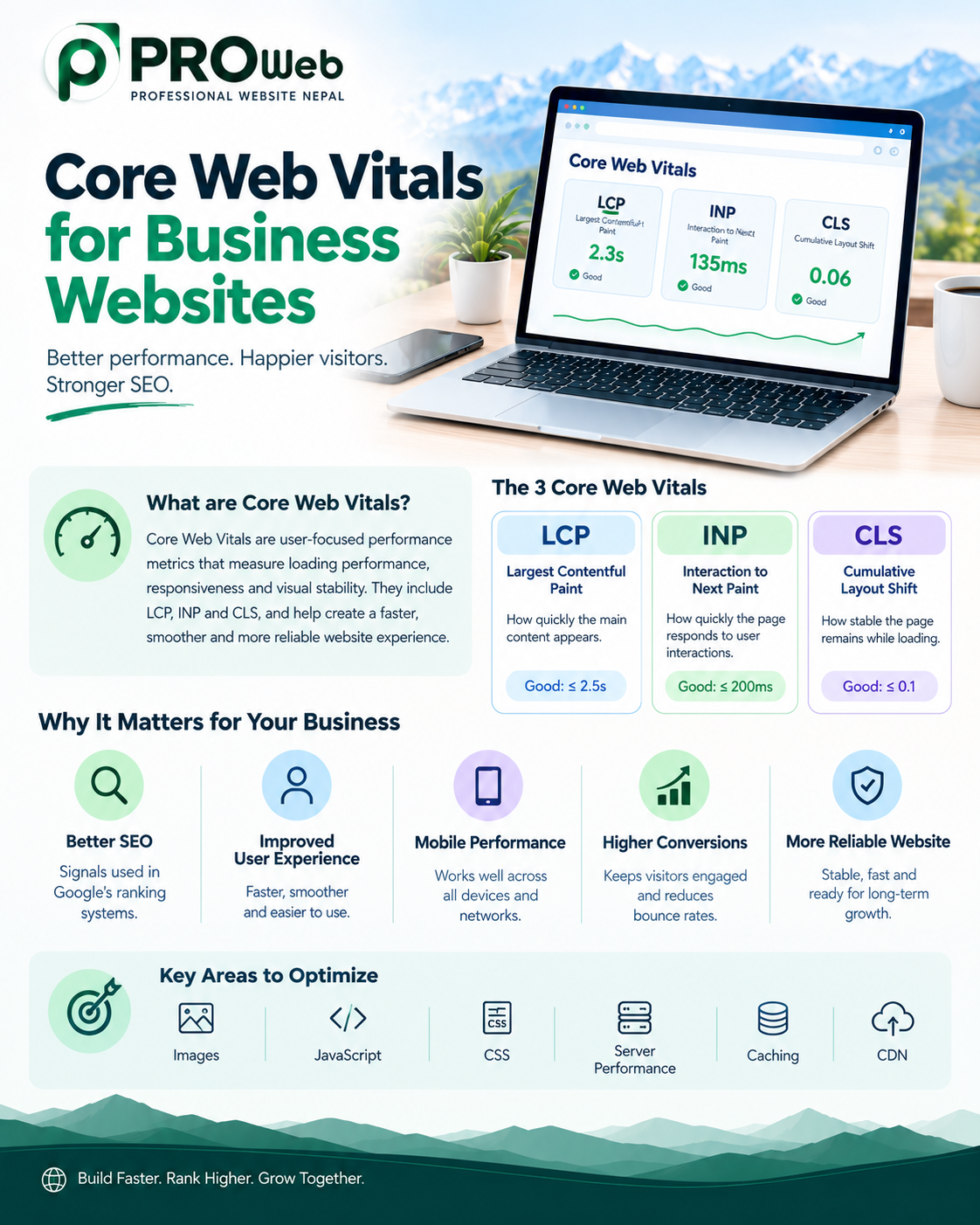
8. Monitor Core Web Vitals
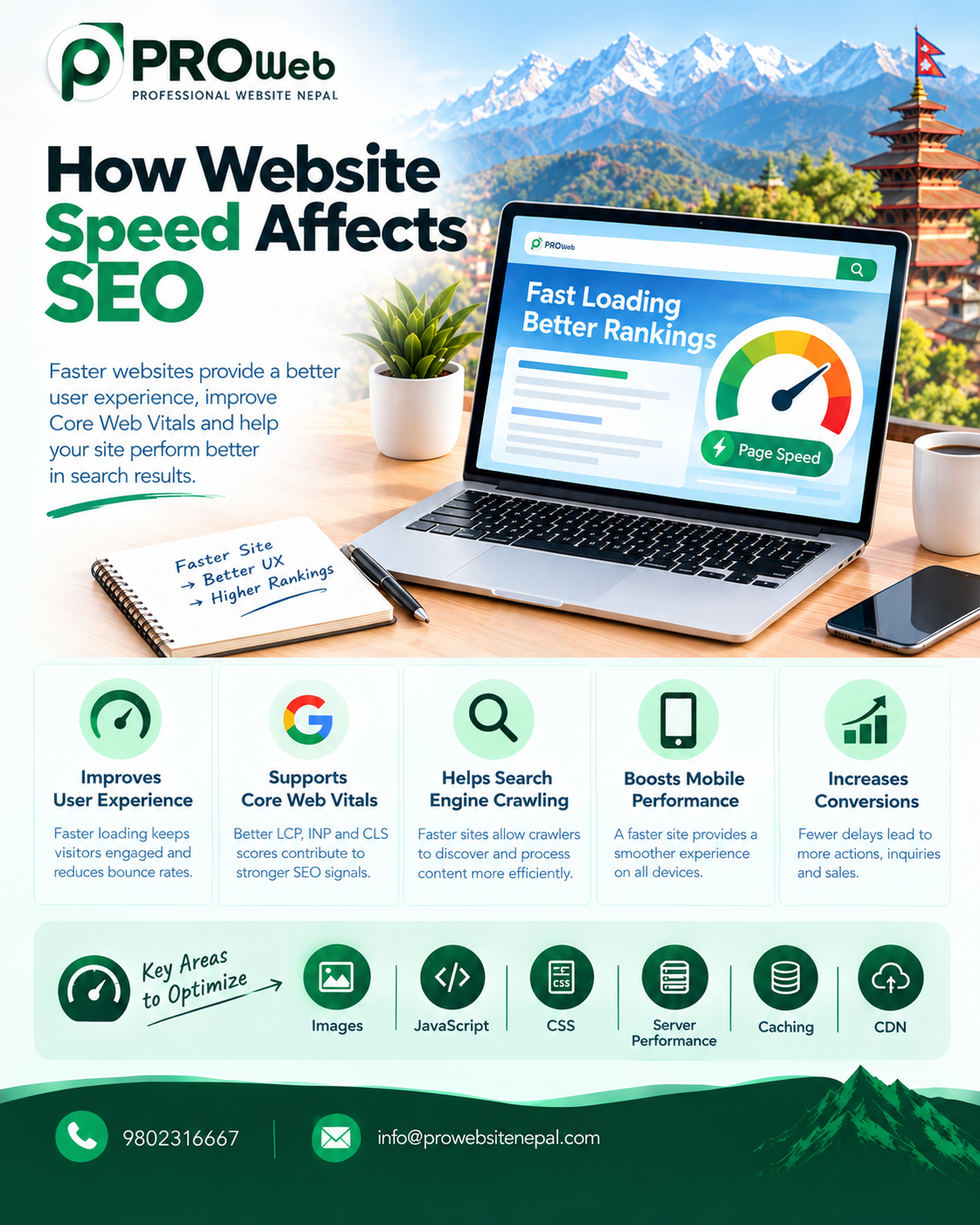
Website performance is an important part of modern technical SEO and user experience.
Google's Core Web Vitals currently include:
Largest Contentful Paint
Interaction to Next Paint
Cumulative Layout Shift
These metrics evaluate important aspects of loading performance, responsiveness, and visual stability.
Businesses should monitor these metrics instead of focusing only on a single performance score.
Performance improvements can include:
Optimizing images
Reducing unnecessary JavaScript
Optimizing CSS
Improving server response time
Reducing unnecessary third-party scripts
Improving caching
Optimizing fonts
Using appropriate hosting infrastructure
Reducing layout shifts
Google notes that Core Web Vitals are used by its ranking systems, while also emphasizing that good scores alone do not guarantee high search rankings.
9. Optimize Images
Images can significantly affect website performance.
Technical SEO image optimization should include:
Appropriate image dimensions
Image compression
Modern formats where suitable
Descriptive filenames
Meaningful alternative text
Responsive image handling
Appropriate lazy loading
Avoiding unnecessarily large files
Image optimization can improve page performance while also helping search engines understand visual content.
10. Create a Logical URL Structure
Website URLs should be clear, consistent, descriptive, and easy to understand.
A good URL structure should:
Reflect the website hierarchy
Clearly communicate page topics
Avoid unnecessary complexity
Remain consistent
Avoid excessive parameters where possible
Use readable words
Support logical navigation
URLs should be planned before large websites are developed because major structural changes later can create redirect and indexing complications.
11. Build a Logical Website Architecture
Website architecture describes how pages are organized and connected.
A well-planned structure helps both visitors and search engines understand the relationship between different sections.
Business websites should organize important content logically around:
Main services
Products
Categories
Industries
Locations
Company information
Supporting content
Blog content
Important commercial pages should not be buried several layers deep without a clear reason.
12. Improve Internal Linking
Internal linking connects pages within the same website.
A strong internal linking structure can help:
Users discover related content
Search engines discover pages
Search engines understand relationships between pages
Important pages receive appropriate internal connections
Website navigation become more useful
Important service and product pages should be connected naturally with relevant supporting content.
A technical audit should identify orphan pages, broken internal links, excessive redirects, and weak internal connections.
13. Maintain Proper Heading Structure
Heading structure helps organize page content.
Business websites should use headings logically and consistently.
Technical checks should review:
Main page heading
Section headings
Subsection headings
Heading hierarchy
Duplicate headings
Missing important headings
Headings should be used to organize information rather than simply to create visual styling.
Visual appearance should be controlled through design and CSS rather than using headings only because they look larger.
14. Optimize Title Tags
Each important page should have a relevant and descriptive title.
Title tags should:
Accurately describe the page
Be unique where appropriate
Reflect the page's main topic
Be useful to searchers
Avoid unnecessary keyword repetition
Important business pages should not all use the same title.
Titles should be reviewed whenever pages are created, redesigned, or significantly updated.
15. Optimize Meta Descriptions
Meta descriptions provide search engines with information that may be used to generate search-result snippets.
Good meta descriptions should:
Accurately describe the page
Match the page's content
Be useful to potential visitors
Avoid unnecessary keyword repetition
Be unique for important pages where practical
Search engines may generate a different snippet depending on the search query and page content, so meta descriptions should not be treated as guaranteed search-result text.
16. Implement Structured Data Where Appropriate
Structured data provides search engines with additional information about webpage content.
Depending on the type of website and content, relevant structured data can include:
Organization
Local business
Article
Breadcrumb
Product
Event
Other supported types
Structured data can help Google better understand page content and can make eligible pages suitable for certain search-result features.
Structured data should always accurately represent the visible and relevant information on the page.
It should also be validated before and after implementation. Google recommends using its testing and inspection tools to identify technical problems with structured data.
Structured data does not guarantee that a rich search result will appear.
17. Use Breadcrumb Navigation Where Appropriate
Breadcrumb navigation helps visitors understand their position within a website's hierarchy.
It can be especially useful for:
Large business websites
Ecommerce websites
Service websites
News websites
Websites with multiple content levels
Breadcrumb structured data can also help Google understand the position of a page within the site's hierarchy.
18. Review JavaScript SEO
Modern websites frequently use JavaScript for interactive features and dynamic interfaces.
JavaScript should not unnecessarily prevent search engines from accessing important content.
Technical checks should include:
Page content rendering
Navigation
Internal links
Metadata
Structured data
Important images
Dynamic content
Client-side rendering
Server-side rendering where appropriate
JavaScript-heavy websites require additional testing to ensure that important content remains accessible to search engines.
19. Fix Broken Links
Broken links can negatively affect website usability and make website architecture harder to maintain.
Regular technical audits should identify:
Broken internal links
Broken external links
Missing pages
Incorrect redirects
Server errors
Outdated URLs
When a page is permanently moved, the appropriate redirect should be implemented when necessary.
20. Use HTTP Status Codes Correctly
HTTP status codes communicate information about the result of a request.
Common status categories include:
Successful responses
Permanent redirects
Temporary redirects
Not-found responses
Server errors
Incorrect status codes can create crawling, indexing, and user-experience problems.
Technical SEO audits should review important URLs and verify that their responses match the intended website behavior.
21. Maintain a Useful 404 Page
Websites should have a useful response when visitors reach a page that no longer exists.
A good 404 experience can help visitors:
Return to the homepage
Search for information
Navigate to important sections
Discover relevant content
Recover from outdated links
A 404 page should be designed as part of the overall website experience rather than treated as an afterthought.
22. Control Duplicate Content
Duplicate or highly similar content can make website architecture more complicated.
Businesses should review:
Duplicate service pages
Duplicate product pages
URL parameters
Multiple URL versions
Similar location pages
Duplicate category pages
Repeated content
Multiple versions of the same resource
Location-based SEO should focus on providing genuinely useful information rather than creating large numbers of nearly identical pages.
23. Improve Website Security
Security is an important part of maintaining a professional business website.
Technical maintenance should include:
HTTPS
Secure hosting
Software updates
Dependency updates
Access control
Security monitoring
Regular backups
Protection against common vulnerabilities
Security problems can affect both visitors and website availability, making security an important part of ongoing technical maintenance.
24. Improve Website Accessibility
Accessibility and technical quality often overlap.
Businesses should consider:
Clear navigation
Readable text
Appropriate contrast
Keyboard accessibility
Alternative text for meaningful images
Proper form labels
Logical page structure
Accessible interactive elements
An accessible website can provide a better experience for a broader range of users while encouraging better overall website structure.
25. Monitor Local SEO Technical Elements
Businesses targeting specific locations should make sure their technical and local SEO strategies work together.
Important information should remain consistent across the website and relevant business listings.
Local SEO technical considerations can include:
Business name
Address
Phone number
Location information
Business structured data where appropriate
Relevant location pages
Internal links between location and service content
Google Business Profile
Mobile accessibility
Location pages should provide genuine value rather than existing only to target location keywords.
26. Connect Google Search Console
Google Search Console is an important tool for monitoring technical search performance.
It can provide information about:
Search performance
Indexing
Sitemap submissions
URL inspection
Core Web Vitals
Search appearance
Security issues
Manual actions
Technical problems
Businesses should monitor Search Console regularly instead of only checking it when a problem occurs.
27. Perform Technical SEO Testing Before Launch
Technical SEO should be reviewed before a new website becomes publicly available.
A pre-launch audit should cover:
Crawlability
Important pages can be crawled
Important resources are accessible
Robots.txt is configured correctly
Navigation is functional
Indexing
Important pages can be indexed
No accidental noindex directives exist
Canonical URLs are correct
Sitemap is prepared
Performance
Mobile performance is tested
Core Web Vitals are monitored
Images are optimized
JavaScript is controlled
Server performance is appropriate
On-Page SEO
Titles are reviewed
Meta descriptions are prepared
Headings are structured correctly
Internal links are working
URLs are appropriate
Alternative text is provided where needed
Technical Infrastructure
HTTPS works correctly
Redirects are configured
Error pages are handled
Structured data is validated
Search Console is configured
28. Monitor Technical SEO After Launch
Technical SEO does not end when a website goes live.
Websites change continuously through:
New content
New products
Website redesigns
Plugin updates
Code changes
Hosting changes
URL changes
New integrations
Marketing campaigns
Each major change can potentially introduce technical SEO problems.
Ongoing monitoring should therefore include:
Indexing
Crawlability
Search Console reports
Core Web Vitals
Broken links
Redirects
Security
Website speed
Structured data
Server performance
Technical SEO Checklist for Business Websites
Before launching or auditing a business website, review the following:
Crawlability
Website is accessible to search engines
Important pages can be crawled
Important resources are accessible
Robots.txt is configured correctly
Internal links are functional
Indexing
Important pages are indexable
No accidental noindex directives exist
Canonical URLs are correct
XML sitemap is available
Search Console is configured
Website Architecture
URL structure is logical
Website hierarchy is clear
Important pages are easily accessible
Internal linking is properly implemented
Orphan pages are identified
Performance
Mobile performance is optimized
Core Web Vitals are monitored
Images are optimized
JavaScript is controlled
CSS is optimized
Server performance is appropriate
Unnecessary third-party resources are minimized
On-Page Technical SEO
Titles are unique and descriptive
Meta descriptions are reviewed
Heading structure is logical
URLs are descriptive
Alternative text is used appropriately
Internal links are relevant
Structured Data
Appropriate structured data is implemented
Markup accurately represents page content
Structured data is validated
Errors are monitored
Security
HTTPS is enabled
SSL certificate is valid
Mixed content is addressed
Website software is maintained
Security monitoring is in place
Mobile
Website is responsive
Navigation works properly
Content is readable
Forms work correctly
Interactive elements function properly
Important content is accessible
Monitoring
Google Search Console is connected
Sitemap is submitted
Indexing is monitored
Core Web Vitals are monitored
Technical errors are reviewed regularly
Common Technical SEO Mistakes
Many business websites experience technical SEO problems because technical optimization is considered only after development.
Common problems include:
Ignoring Crawlability
Important website sections may unintentionally be blocked from search-engine crawlers.
Incorrect Robots.txt Configuration
Poorly configured crawling rules can prevent search engines from accessing important content.
Neglecting Mobile Performance
A website may work well on desktop devices while providing a poor experience on smartphones.
Using Unoptimized Images
Large images can unnecessarily increase loading times.
Creating Duplicate Pages
Repeated or nearly identical pages can make website architecture unnecessarily complicated.
Using the Same Metadata Everywhere
Important pages should have metadata that reflects their individual purpose.
Ignoring Broken Links
Broken links can accumulate as a website grows and changes.
Overusing JavaScript
Important content should remain accessible even when websites rely heavily on JavaScript.
Ignoring Website Performance
Slow pages can affect user experience and contribute to poor page experience.
Treating SEO as an Afterthought
Technical SEO is generally easier to manage when it is incorporated into the website from the planning and development stages.
Technical SEO for Custom Website Development
Technical SEO should be considered while a website is being designed and developed.
Custom development can provide control over areas such as:
Website architecture
URL structure
HTML structure
Performance
Database queries
Server configuration
Caching
Rendering
API architecture
Metadata
Structured data
Security
Scalability
However, custom development does not automatically make a website SEO-friendly.
The quality of the implementation remains important.
A custom website can still have technical SEO problems if its architecture, code, performance, indexing controls, or content structure are poorly implemented.
Technical SEO and Website Development Should Work Together
A strong technical SEO strategy should begin before development.
Planning Stage
Determine the website structure, important pages, URL architecture, content hierarchy, technical requirements, and search strategy.
Design Stage
Consider mobile usability, navigation, content hierarchy, accessibility, performance, and page experience.
Development Stage
Implement clean architecture, appropriate URLs, metadata controls, internal linking, structured data, sitemap functionality, security, and performance optimization.
Testing Stage
Test crawlability, indexing, redirects, mobile usability, performance, Core Web Vitals, structured data, links, and status codes.
Launch Stage
Configure HTTPS, Search Console, sitemap submission, analytics, monitoring, and technical tracking.
Maintenance Stage
Continue monitoring indexing, performance, security, broken links, redirects, Core Web Vitals, and other technical issues.
Technical SEO for Businesses in Nepal
Businesses in Nepal operate in a competitive digital environment where websites need to serve both local and broader audiences.
A technical SEO strategy should reflect the actual audience and business goals of the organization.
Businesses targeting Kathmandu, Lalitpur, Bhaktapur, Pokhara, Chitwan, Biratnagar, or customers throughout Nepal should build location relevance naturally into their website architecture and content.
Technical SEO should support local visibility without creating unnecessary duplicate location pages.
A well-developed business website should combine technical accessibility with useful content, clear service information, strong navigation, mobile usability, and a reliable user experience.
Why Technical SEO Matters
Technical SEO creates the foundation that allows search engines to access and understand a website.
The process can be viewed as:
Crawl → Understand → Index → Serve → Measure → Improve
If important pages cannot be accessed, properly understood, or indexed, other SEO efforts may not achieve their full potential.
Technical SEO is therefore not simply about adding technical settings. It is about building a website that is accessible, understandable, fast, secure, organized, and maintainable.
Google's current page-experience guidance also emphasizes that website owners should consider the overall experience rather than focusing on a single metric. Core Web Vitals, secure delivery, mobile presentation, intrusive elements, and overall usability all contribute to the broader experience.
Professional Website Nepal's Approach
At Professional Website Nepal, technical SEO can be incorporated into website development from the beginning rather than being treated as a final add-on.
Our approach focuses on:
Clean website architecture
SEO-friendly development
Fast-loading pages
Responsive design
Mobile optimization
Search-friendly URLs
Proper metadata
Structured data where relevant
Technical SEO implementation
Performance optimization
Secure development
Scalable website architecture
Post-launch technical support
The objective is to create websites that work effectively for both users and search engines.
A professional business website should not simply look good. It should also provide a strong technical foundation for long-term visibility, performance, usability, and growth.
Final Thoughts
Technical SEO is one of the most important foundations of a modern business website.
From crawlability and indexing to website speed, mobile usability, structured data, HTTPS, internal linking, and Search Console monitoring, every technical component contributes to how effectively a website can be discovered and understood.
The best approach is to integrate technical SEO throughout the website development process rather than attempting to fix everything after launch.
When technical architecture, content, design, performance, and SEO work together, a business website becomes better prepared for search engines, users, and long-term digital growth.
Frequently Asked Questions
What is technical SEO?
Technical SEO is the process of improving the technical structure and accessibility of a website so search engines can crawl, understand, and index its content effectively.
Is technical SEO important for small businesses?
Yes. Small business websites can benefit from proper crawlability, indexing, mobile responsiveness, website speed, secure connections, structured URLs, internal linking, and technical monitoring.
Does technical SEO guarantee higher rankings?
No. Technical SEO provides a strong foundation, but search visibility also depends on factors such as content relevance, content quality, competition, authority, links, user needs, and Google's search systems.
How often should technical SEO be checked?
Technical SEO should be reviewed during development, before launch, after major website changes, and regularly after launch.
Can technical SEO be added after a website is built?
Yes. Existing websites can be audited and improved, but incorporating technical SEO during development can reduce the need for major structural corrections later.
Is technical SEO different from on-page SEO?
Yes. Technical SEO primarily focuses on the technical foundation, accessibility, crawling, indexing, performance, and website architecture. On-page SEO focuses more on content, titles, headings, relevance, and page-level optimization. Both work together.
Does website speed affect SEO?
Website performance contributes to page experience, and Core Web Vitals are used by Google's ranking systems. However, performance alone does not determine search rankings.
Is structured data necessary for every website?
Not every website needs every type of structured data. Structured data should be implemented when a supported type accurately represents the content and is relevant to the website. Google recommends validating structured data and following the requirements for each supported feature.