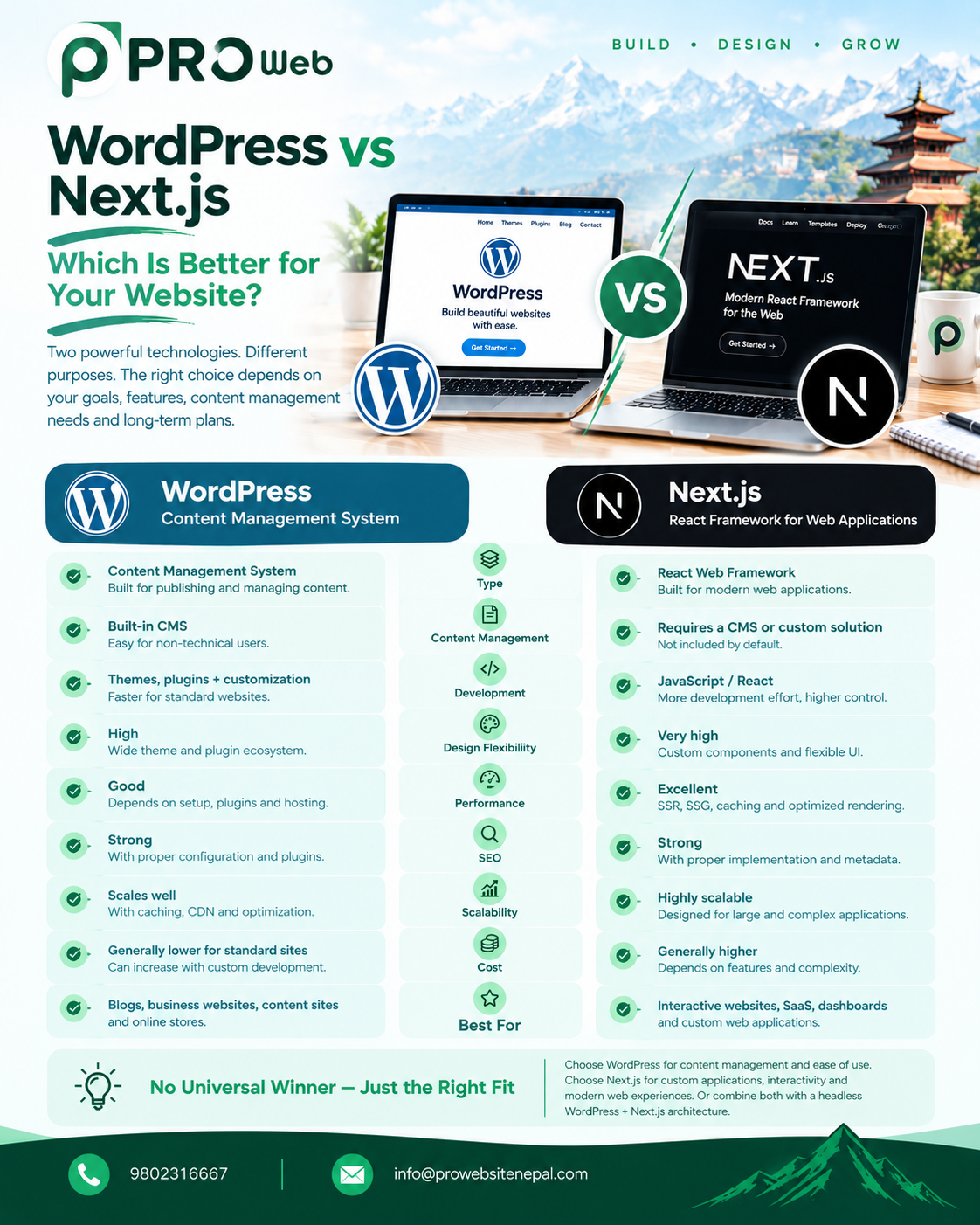
WordPress vs Next.js: Which Is Better for Your Website?
Choosing the right technology is one of the most important decisions when developing a modern website. Two technologies that often appear in this discussion are WordPress and Next.js.
However, WordPress and Next.js are fundamentally different technologies.
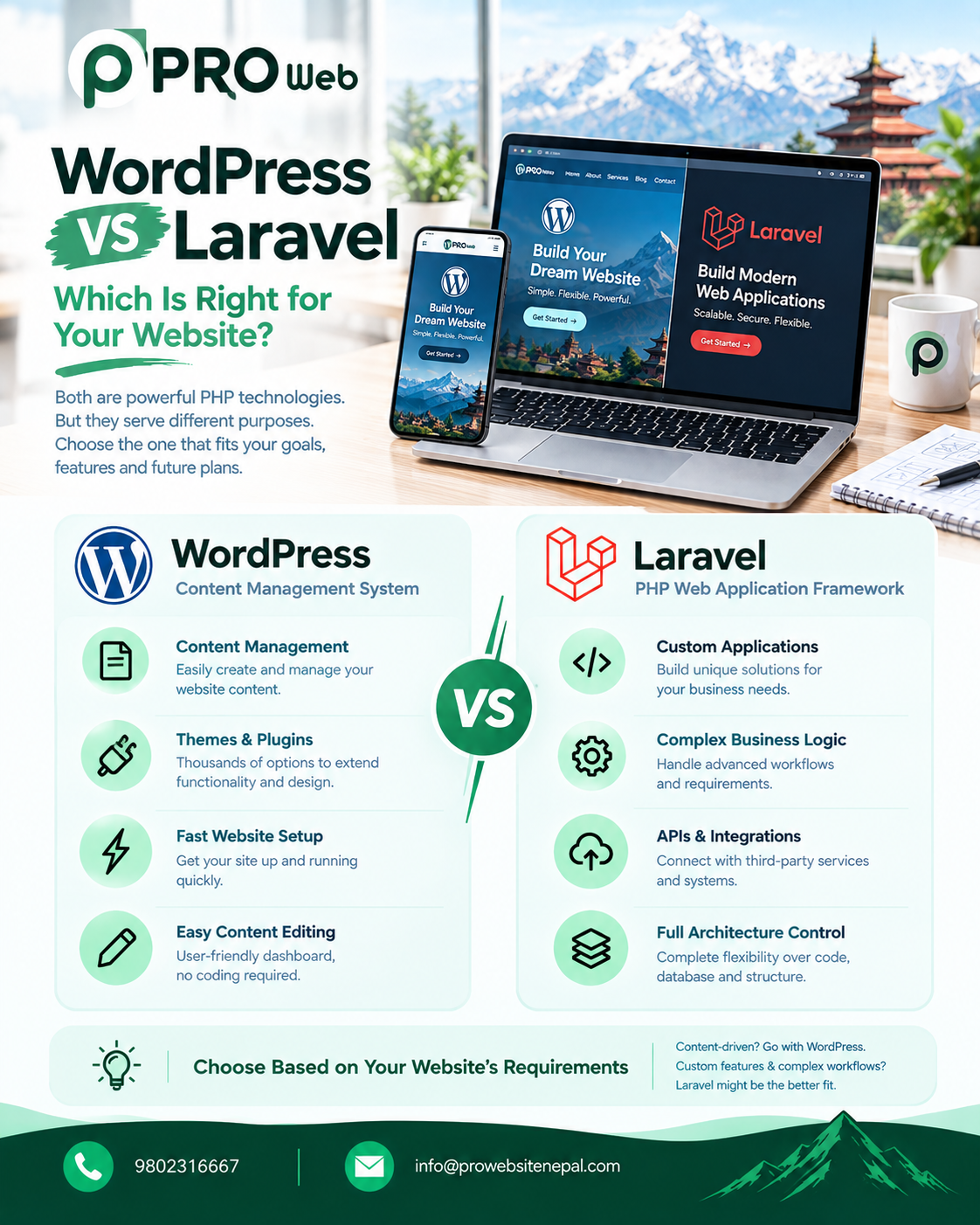
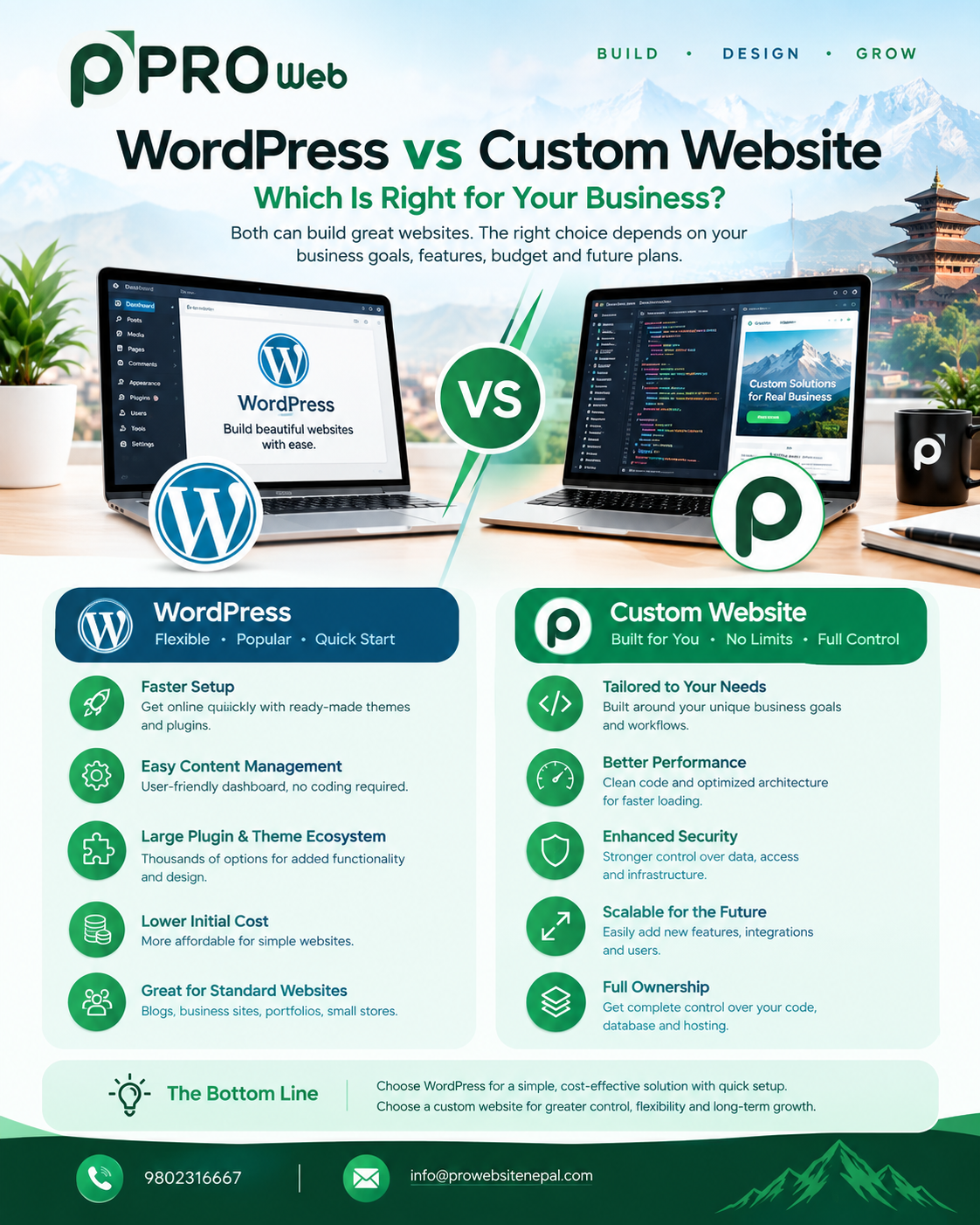
WordPress is an open-source content management system (CMS) built around publishing and managing website content. It provides an administrative interface, themes, plugins, and a large ecosystem for extending websites.
Next.js is a React framework for building full-stack web applications. It provides features for routing, data fetching, rendering, caching, and application development, while supporting both server and client components.
Because they solve different problems, the decision should be based on the type of website being built, the required functionality, content-management requirements, performance goals, development resources, and long-term plans.
WordPress vs Next.js at a Glance
Factor | WordPress | Next.js |
|---|---|---|
Type | Content Management System | React Web Framework |
Primary Technology | PHP | JavaScript / React |
Main Purpose | Content-driven websites | Modern web applications |
Content Management | Built in | Requires CMS or custom solution |
Admin Dashboard | Built in | Must be developed or integrated |
Themes | Extensive ecosystem | Custom UI/components |
Plugins | Large plugin ecosystem | NPM/package ecosystem |
Development | Configuration + customization | Primarily development-driven |
Rendering | Server-rendered PHP | Static, dynamic, and server/client rendering |
SEO | Strong when properly configured | Strong when properly implemented |
Custom UI | High | Very high |
Interactive Applications | Possible | Strong use case |
APIs | Available | Built-in application/API capabilities |
Learning Curve | Lower for basic sites | Higher |
Best For | Blogs, business sites, content websites | Modern applications and custom frontends |
What Is WordPress?
WordPress is an open-source publishing platform and content management system. It allows users to create, edit, organize, and publish website content through an administrative interface.
A typical WordPress installation can provide:
Pages
Blog posts
Categories
Tags
Media management
User accounts
Navigation
Themes
Plugins
Content editing
Website settings
This means a business can create a website without developing every basic content-management feature from scratch.
WordPress can also be extensively customized. Developers can create custom themes, plugins, integrations, and functionality on top of the platform. WordPress itself emphasizes that both users with limited technical experience and experienced developers can use and customize it.
What Is Next.js?
Next.js is a React framework designed for building web applications.
Instead of starting with a complete CMS, Next.js gives developers tools and conventions for building the application's frontend and server-side functionality.
The current Next.js documentation describes it as a framework for building full-stack web applications, with features around routing, rendering, data fetching, and optimization.
Next.js can be used to build:
Business websites
SaaS platforms
Dashboards
E-commerce frontends
Customer portals
Web applications
Interactive platforms
Content websites
API-backed applications
Next.js also supports different rendering approaches, including static and dynamic rendering.
The Fundamental Difference
The biggest difference between WordPress and Next.js is their starting point.
WordPress starts with content management.
You get an administrative system where users can create and manage website content.
Next.js starts with application development.
You get a framework that helps developers build the user interface, routing, data-fetching architecture, rendering strategy, and application functionality.
A simple way to think about it is:
WordPress
    ↓
Content Management
    ↓
Website
Whereas:
Next.js
    ↓
Application Framework
    ↓
Custom Website / Web Application
This distinction affects almost every other part of the comparison.
1. Development Speed
WordPress can provide a fast starting point for conventional websites because many common features already exist.
For example, a company may need:
Home
About
Services
Blog
Contact
Testimonials
WordPress already provides the underlying content-management functionality required to create these types of pages.
Next.js requires developers to construct more of the application's frontend and content architecture.
For a custom project, however, this additional development can provide much greater control over how the website works.
Next.js also provides conventions and built-in capabilities that reduce the need to manually configure many parts of a React application.
2. Content Management
This is one of WordPress's biggest differences from Next.js.
WordPress includes content management as a core part of the platform.
A website administrator can log into the dashboard and manage:
Pages
Posts
Images
Categories
Menus
Users
Other website content
Next.js does not automatically provide a WordPress-style CMS.
If a Next.js website needs content editors, developers can connect it to a headless CMS such as WordPress or another CMS, or build a custom content-management system.
This creates an interesting possibility:
WordPress
   ↓
Content Management
   ↓
API
   ↓
Next.js
   ↓
Website
In this architecture, WordPress handles the content while Next.js handles the frontend.
3. Design Flexibility
WordPress provides a large ecosystem of themes and design tools.
Developers can also create completely custom WordPress themes.
Therefore, WordPress does not necessarily mean using a pre-made design.
A custom WordPress website can have:
Custom layouts
Custom components
Custom animations
Custom CSS
Custom JavaScript
Custom themes
Custom functionality
Next.js takes a more development-oriented approach.
The frontend is typically constructed using React components.
Developers can create reusable components such as:
Header
Navbar
Hero
Cards
ProductGrid
Testimonials
Footer
These components can then be combined to create the application's interface.
This makes Next.js particularly useful when the website needs a highly customized interactive interface.
4. Performance
Performance is not determined simply by choosing WordPress or Next.js.
A poorly optimized Next.js website can still be slow.
A well-built WordPress website can perform very well.
However, Next.js provides multiple rendering strategies that allow developers to decide when and where content is generated.
Next.js supports static and dynamic rendering, allowing different pages to use different approaches depending on their requirements.
For example:
Static Page
    ↓
Generated ahead of time
    ↓
Cached and served quickly
While a dynamic page could work more like:
User Request
    ↓
Server
    ↓
Fetch Current Data
    ↓
Render Response
Next.js documentation notes that static rendering can reduce server work because pre-rendered content can be cached and distributed, while dynamic rendering is useful for frequently changing or personalized data.
WordPress performance depends heavily on:
Theme quality
Plugins
Database queries
Caching
Hosting
Images
JavaScript
CSS
CDN configuration
5. SEO
Both WordPress and Next.js can be used to build SEO-friendly websites.
SEO does not automatically come from choosing one platform.
Important SEO factors include:
Page speed
Mobile responsiveness
URL structure
Metadata
Structured data
Internal links
Sitemap
Canonical URLs
Crawlability
Content quality
Technical implementation
WordPress provides an established ecosystem for managing content and extending SEO functionality.
Next.js gives developers significant control over how pages are rendered and how metadata and page structures are implemented.
Next.js supports pre-rendering approaches that can make page content available to search engines without relying entirely on client-side rendering.
Therefore, the more useful question is not:
"Which platform is automatically better for SEO?"
It is:
"How will the website be technically implemented and optimized for search engines?"
6. Interactivity
Modern websites increasingly contain interactive features.
Examples include:
Live search
Filters
Dashboards
Interactive charts
Real-time updates
Product configurators
User profiles
Notifications
Drag-and-drop interfaces
Next.js is built around React, which is specifically designed for creating interactive user interfaces.
Next.js also supports Server and Client Components, allowing developers to decide which parts of an application need server-side processing and which need browser-side interactivity.
WordPress can also provide interactive functionality through JavaScript, plugins, custom development, and integrations.
However, Next.js is naturally oriented toward building React-based interactive applications.
7. APIs
WordPress can expose content through APIs and can be used as a headless CMS.
This makes it possible to have:
WordPress
    ↓
REST API
    ↓
Next.js
    ↓
Frontend
Next.js can also provide application-side API functionality.
The Next.js ecosystem includes mechanisms for creating API endpoints and server-side functionality.
This means Next.js can work as part of a full-stack architecture rather than being limited to a traditional frontend.
8. WordPress as a Headless CMS
One of the most interesting combinations is Headless WordPress + Next.js.
Instead of using WordPress to render the entire website, WordPress is used primarily for content management.
For example:
                    ┌───────────────┐
                    │   WordPress   │
                    │     CMS       │
                    └───────┬───────┘
                            │
                           API
                            │
                            ↓
                    ┌───────────────┐
                    │    Next.js    │
                    │   Frontend    │
                    └───────┬───────┘
                            │
                            ↓
                         Users
The content team can continue using WordPress's familiar CMS interface while developers build the public-facing website with Next.js.
The official Next.js learning resources even include a guide for using headless WordPress with Next.js.
9. Scalability
Both technologies can support growing websites, but they approach scalability differently.
WordPress can scale through:
Caching
CDN infrastructure
Database optimization
Optimized themes
Plugin management
Suitable hosting
Application architecture
Next.js can use static rendering, dynamic rendering, caching, server-side functionality, and deployment infrastructure appropriate for the application.
For example, a largely static marketing website can pre-render pages and serve cached content.
A personalized dashboard can dynamically retrieve information for each user.
This ability to use different rendering strategies within one application is one of the important architectural features of Next.js.
10. Security
Neither WordPress nor Next.js automatically guarantees security.
Security depends on:
Code quality
Dependencies
Authentication
Authorization
Hosting
Server configuration
Updates
Input validation
Database security
API security
WordPress websites may involve the WordPress core, themes, plugins, and custom code, all of which need appropriate maintenance.
Next.js projects may involve:
Next.js
React
NPM dependencies
APIs
Authentication systems
Databases
Hosting infrastructure
The security responsibility therefore differs according to the architecture.
11. Maintenance
WordPress maintenance commonly includes:
WordPress core updates
Plugin updates
Theme updates
PHP compatibility
Backups
Security monitoring
Database optimization
WordPress's official documentation provides dedicated guidance around installation, maintenance, security, and keeping sites updated.
Next.js maintenance typically involves:
Next.js updates
React updates
NPM dependencies
Application code
APIs
Database
Hosting
Deployment
Security
The maintenance workload depends heavily on the project's architecture.
12. Learning Curve
WordPress can be relatively approachable for non-developers.
A user can install WordPress, select a theme, create pages, and manage content through the dashboard.
Next.js requires considerably more development knowledge.
Developers generally benefit from understanding:
HTML
CSS
JavaScript
React
Git
APIs
Databases
Server/client architecture
Deployment
The official Next.js documentation itself recommends familiarity with HTML, CSS, JavaScript, and React before working through its documentation.
13. E-Commerce
WordPress can be used for e-commerce through established WordPress e-commerce solutions and plugins.
This can provide functionality such as:
Products
Shopping carts
Orders
Customers
Payments
Shipping
Coupons
Next.js can be used to create a custom e-commerce frontend and connect it to an e-commerce backend or API.
For example:
Next.js
   ↓
E-commerce API
   ↓
Products / Orders / Customers
   ↓
Database
This can be useful when the shopping experience requires a highly customized interface.
Next.js's official learning material also includes e-commerce-related examples and integrations.
14. Cost
The technology itself is only one part of the total website cost.
Other factors include:
Design
Development
Hosting
Content
SEO
Integrations
Maintenance
Third-party services
Development time
A conventional WordPress website may require less initial development because its CMS functionality already exists.
A custom Next.js website can require more development work because the application and content architecture need to be designed and implemented.
However, a highly customized WordPress website can also require significant development.
Therefore, platform selection should be based on the project's requirements rather than simply comparing initial development prices.
15. WordPress vs Next.js for Different Websites
Website Type | WordPress | Next.js |
|---|---|---|
Blog | Suitable | Suitable |
Business Website | Suitable | Suitable |
Portfolio | Suitable | Suitable |
News Website | Suitable | Suitable |
Marketing Website | Suitable | Suitable |
Content Website | Suitable | Suitable |
E-commerce | Suitable | Suitable |
Custom Dashboard | Possible | Suitable |
SaaS Application | Possible with extensive customization | Suitable |
Interactive Web Application | Possible | Suitable |
Customer Portal | Possible | Suitable |
Headless Website | Suitable as CMS | Suitable as frontend |
Highly Interactive UI | Possible | Suitable |
Custom Frontend | Possible | Suitable |
These are common use cases, not hard limitations. Both technologies can be extended beyond the categories shown.
When WordPress May Be a Good Fit
WordPress can be a practical choice when:
Content management is a major requirement.
Non-technical users need to edit content.
The website contains a blog or news section.
The project is primarily content-driven.
The business wants an established CMS.
The project needs a conventional business website.
Existing WordPress plugins provide required functionality.
WordPress's core strength is its content-management ecosystem.
When Next.js May Be a Good Fit
Next.js can be a strong fit when:
The website requires a highly customized frontend.
The project is interactive.
The application has complex user interfaces.
Developers need control over rendering strategies.
The project requires modern React architecture.
The website needs custom API integrations.
The project is more application-like than content-management-oriented.
A headless CMS architecture is being considered.
Next.js is particularly useful when the website is being treated as a modern web application rather than simply a collection of CMS-managed pages.
Can WordPress and Next.js Work Together?
Absolutely.
In fact, this is an important architecture to consider.
A company could use:
WordPress → Content Management
and
Next.js → Frontend
This provides a combination of WordPress's content-management capabilities and Next.js's React-based frontend architecture.
For example:
Marketing Team
      ↓
 WordPress CMS
      ↓
      API
      ↓
   Next.js
      ↓
Website Visitors
This approach is commonly referred to as headless WordPress.
It can be useful when a company wants WordPress's editing experience but wants a separately developed frontend.
WordPress vs Next.js for Business Websites
Consider a simple company website:
Home
About
Services
Portfolio
Blog
Contact
WordPress can provide an established environment for managing these pages.
Now consider a platform such as:
User Registration
        ↓
User Dashboard
        ↓
Search
        ↓
Filters
        ↓
Payments
        ↓
Notifications
        ↓
Personalized Data
This is much more application-oriented.
Next.js can be used as part of an architecture designed specifically around these requirements.
The important point is that the complexity of the project should influence the architecture.
WordPress vs Next.js for SEO
Both can support strong SEO.
For WordPress:
CMS
 ↓
Content
 ↓
SEO Configuration
 ↓
Optimized Pages
For Next.js:
Application
 ↓
Rendering Strategy
 ↓
Metadata
 ↓
Structured HTML
 ↓
Optimized Pages
Next.js's rendering architecture provides options for pre-rendering pages, which can be useful for SEO and performance.
However, SEO still depends on the actual implementation.
A technically advanced framework cannot compensate for:
Poor content
Incorrect metadata
Slow pages
Broken links
Poor information architecture
Bad indexing configuration
Weak internal linking
The Role of Content Management
One of the biggest questions to ask before choosing between WordPress and Next.js is:
Who will manage the website's content?
If marketing staff regularly need to create:
Blog posts
Landing pages
News
Images
Products
Articles
then having a dedicated CMS can be extremely useful.
If content is relatively limited and developers manage the application's data and interface, a custom Next.js architecture may be appropriate.
There is also a third option:
Next.js + Headless CMS.
This gives the project a separate content-management system while keeping the frontend independent.
WordPress vs Next.js: A Practical Decision Framework
Before selecting a platform, consider these questions.
1. Is content management central to the project?
If yes, a CMS such as WordPress may be useful.
2. Does the project require a highly interactive interface?
If yes, Next.js may be worth considering.
3. Who will update the content?
If non-developers will frequently manage content, consider the CMS experience.
4. Does the website need custom application functionality?
Complex functionality may require a more application-oriented architecture.
5. Does the website need an API?
Consider whether the system will connect with:
Mobile applications
Payment gateways
CRM systems
ERP systems
External services
Other websites
6. Does the project need a headless architecture?
If yes, WordPress can potentially handle the CMS while Next.js handles the frontend.
7. What are the long-term requirements?
Technology decisions should consider future functionality, maintenance, team skills, and expected growth.
WordPress vs Next.js in Nepal
For businesses in Nepal, the same technical principles apply.
A local business website containing:
Company information
Services
Portfolio
Blog
Contact details
may have very different requirements from a company developing:
An online marketplace
A booking platform
A customer portal
An education platform
A SaaS application
A custom e-commerce experience
A logistics platform
Therefore, technology selection should begin with the business requirements.
The question should not simply be:
"Which technology is more modern?"
Instead:
"Which architecture fits the website's actual requirements?"
How Professional Website Nepal Approaches the Choice
At Professional Website Nepal, technology selection can begin with the project's requirements rather than forcing every website into one platform.
For content-focused websites, WordPress can provide an established CMS and content-management workflow.
For highly customized frontends and interactive applications, Next.js can provide a modern React-based application architecture.
A headless architecture can also combine the two when the project needs both:
WordPress content management
Next.js frontend development
The development approach can focus on:
Performance
Responsive design
Technical SEO
Security
Scalable architecture
Clean development
Custom functionality
API integration
Maintainability
Frequently Asked Questions
Is Next.js better than WordPress?
They are designed for different purposes. WordPress is primarily a CMS, while Next.js is a React framework for building web applications. The appropriate choice depends on the website's requirements.
Is WordPress easier to use than Next.js?
For basic content management, WordPress is generally more accessible because it provides a ready-made administrative interface. Next.js is primarily a development framework and requires stronger programming knowledge.
Is Next.js good for SEO?
Yes. Next.js supports rendering approaches that can make content available to search engines and provides tools for building optimized web applications. SEO still depends heavily on implementation.
Can Next.js replace WordPress?
It can replace WordPress as the frontend or website platform in some projects, but Next.js does not automatically provide the same CMS experience as WordPress. A separate CMS may be required.
Can WordPress and Next.js be used together?
Yes. WordPress can function as a headless CMS while Next.js provides the frontend.
Is Next.js faster than WordPress?
There is no universal answer. Performance depends on implementation, hosting, caching, assets, database operations, rendering strategy, and other factors. Next.js provides several rendering and caching mechanisms that can support high-performance applications.
Is Next.js expensive?
The framework itself is not the main determinant of project cost. Development complexity, design, hosting, integrations, functionality, maintenance, and development time all affect the total cost.
Can WordPress handle a large website?
Yes. WordPress can be used for large websites, provided that the architecture, hosting, caching, database, plugins, and code are properly managed.
Final Thoughts
WordPress and Next.js represent two different approaches to web development.
WordPress focuses on content management and publishing.
Next.js focuses on building modern React-based web applications.
WordPress can be a practical platform for businesses that need an accessible CMS and regularly managed content.
Next.js can be appropriate for projects that require a highly customized frontend, interactive functionality, modern application architecture, and flexible rendering strategies.
And businesses do not necessarily have to choose one exclusively.
A headless WordPress + Next.js architecture can combine WordPress's CMS capabilities with a Next.js frontend.
Ultimately, the technology should follow the requirements.
The right question is not simply:
"WordPress or Next.js?"
It is:
"What does this website need to do, who will manage it, and how should it grow over time?"